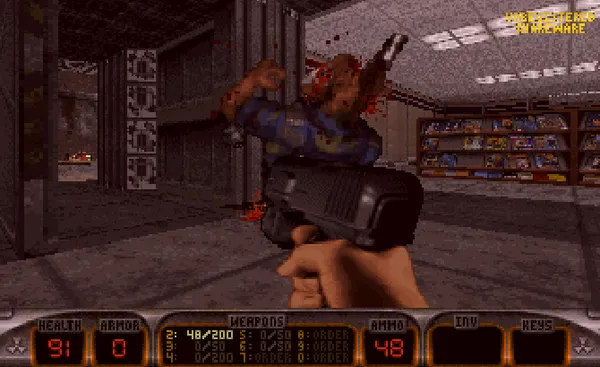
Duke Nukem 3D came out in 1996 and mixed a first-person shooter with one-liners, interactive levels and a lot of attitude. This is the free shareware release from 3D Realms, which has Episode 1, L.A. Meltdown.
This game has mature content, so you’ll be asked to confirm you’re 18 or over before it loads.
Mature game 18+
Please confirm that you are 18 or over to continue. This is a self-check and is only remembered on this device.
About this version
The shareware release comes with a licence that lets free websites share it, and it ships here with its licence file and no changes. The other episodes are only in the registered game, which Apogee and GOG still sell.
How to play
Before you start you can pick which level to begin on and how hard it is, or choose the main menu to use the game’s own menus. Move with W and S, strafe with A and D, and turn with the arrow keys or the mouse. Ctrl fires, Space opens doors and switches, E jumps, Z crouches and Shift runs. The number keys pick a weapon. Click the screen to capture the mouse and press Esc to release it.
Many of the levels are full of things to push, press and blow up, and secret areas are worth the hunt because they hold health and ammo.
Tips
- Use the level picker. If you’ve finished the first level, start from a later one and skip the replay.
- Press Space on everything. Switches and doors do something, and the secret areas hold health and ammo.
- Strafe with A and D. Turning with the arrow keys while strafing makes it much easier to keep your aim on a moving enemy.
- Check your ammo. The pistol is weak, so switch to the shotgun with 3 when something big shows up.
A bit of history
Duke Nukem 3D arrived in 1996 from 3D Realms and ran on Ken Silverman’s Build engine, which allowed mirrors, sloped floors and rooms over rooms that earlier shooters couldn’t do. It also leaned on one-liners and interactive levels, where you could shoot out lights and use toilets. This page runs the free shareware release, version 1.3D, which has Episode 1, L.A. Meltdown.
Full screen and saves
Press the Full screen button under the game to fill your screen, and Esc to leave it.
To keep your progress, save inside the game the way you did in the 90s, which is F2 in this game. Then press the floppy disk button at the top of the player’s side bar, which says “Saved in browser”. Your save stays on your own device and nothing is uploaded. The next time you open the game it’s waiting in the game’s own load menu. Clearing your browser data removes it.
Quick answers
Can I choose which level to start on?
Yes. Before you press play, pick one of the seven levels and a skill setting. Choose the main menu if you’d rather use the game’s own menus.
Which version is this?
Version 1.3D of the shareware release. The other episodes are only in the registered game, which is still sold.
Why is there an age check?
The game has violence, crude humour and adult themes, so it asks you to confirm you’re 18 or over first.
Does the mouse work?
Yes. Click the game screen to capture it, and press Esc to let go. You can also turn with the arrow keys.
More games
This is part of the classic DOS games set.
- Doom: the shooter that started it all, free in your browser
- Grand Theft Auto: another game with an 18+ check
- All the games on this site, from retro Windows card games to sysadmin puzzles
Related projects
3 pages