How long will it take to copy 4 TB to a NAS over gigabit? Or to move a 200 GB VM backup over a 100 Mbps link? Enter the size and the speed and this calculator gives you the time, both as the theoretical best and with an allowance for real-world overhead.
It runs in your browser, so nothing you type is sent anywhere.
| Link | Theoretical | At 90% |
|---|
In this YouTube Short, Jarvis shows the transfer time calculator in 30 seconds.
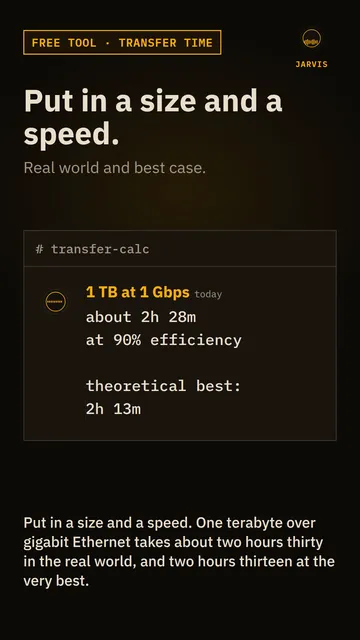 Play the video: How long will that file copy take? A free transfer time calculator
How it works
The calculator turns the file size into bits and divides by the speed in bits per second.
- Size: file sizes are counted in bytes, and there are 8 bits in a byte. Drive makers count a GB as 1,000,000,000 bytes (decimal), while Windows and most operating systems count in 1024s (binary). Pick whichever matches where your number came from. The memory calculator explains the difference.
- Speed: network speeds are in bits per second, with Mbps meaning megabits and Gbps meaning gigabits, both counted in 1000s. A speed in MB/s is megabytes per second, which is 8 times more data per number. A gigabit link is 1 Gbps, which is at best 125 MB/s.
- Efficiency: you never get the full line speed. Protocol overhead, the disks at each end and the other traffic on the link all take a share. The 90% setting is a rule of thumb for a wired copy, and I’ve included 70% and 50% for busy networks, Wi-Fi and slow disks. These are estimates, not measurements. Test a real copy on your own kit if the time matters.
Common copies at 90% efficiency
These use decimal sizes and are rounded to the nearest minute or second.
| Size | 100 Mbps | 1 Gbps | 2.5 Gbps | 10 Gbps |
|---|---|---|---|---|
| 100 GB | 2h 28m | 14m 49s | 5m 56s | 1m 29s |
| 500 GB | 12h 21m | 1h 14m | 29m 38s | 7m 24s |
| 1 TB | 1d 41m | 2h 28m | 59m 16s | 14m 49s |
| 4 TB | 4d 2h 45m | 9h 53m | 3h 57m | 59m 16s |
| 10 TB | 10d 6h 54m | 1d 41m | 9h 53m | 2h 28m |
A faster link only helps if the disks at both ends can keep up. A single spinning hard drive manages around 150 MB/s on a good day, which is already more than a gigabit link can carry. Many small files copy far more slowly than one big one, because each file has its own overhead.
Quick answers
How long does it take to transfer 1 TB over gigabit Ethernet?
About 2 hours 13 minutes at the full 1 Gbps, and about 2 hours 28 minutes at a more realistic 90%. Real copies of lots of small files can take longer.
Why is my transfer slower than the calculator says?
Usually the disk is the limit, or the network is shared, or you’re on Wi-Fi. Many small files also slow things down. Try the 70% or 50% setting, or copy one large file to see what the link can really do.
Is Mbps the same as MB/s?
No. Mbps is megabits per second and MB/s is megabytes per second. Divide Mbps by 8 to get MB/s, so 100 Mbps is at best 12.5 MB/s.
Should I use decimal or binary for the file size?
Use decimal for sizes printed on drive boxes and by cloud providers. Use binary for sizes shown by Windows, which counts in 1024s but still labels them GB and TB. The difference is about 10% at the TB scale.
Related tools
The memory calculator converts between bits, bytes, MB, GB and TB. If you’re planning the network side, the subnet calculator works out IP ranges, and the tools page lists everything else.
More tools and guides
7 pages
Related projects
3 pages