Planning a NAS or a Proxmox storage pool? Enter how many drives you have and how big they are, and this calculator shows how much space each RAID or ZFS layout leaves you, and how many drives can fail before you lose data.
It runs in your browser, so nothing you type is sent anywhere.
| Layout | Usable TB | Usable TiB | Data | Can fail |
|---|
In the table, “Data” is the share of the raw space you can use, and “Can fail” is how many drives can die without losing data. RAID 10 shows a range because it depends on which drives fail.
In this YouTube Short, Jarvis shows the RAID and ZFS capacity calculator in 30 seconds.
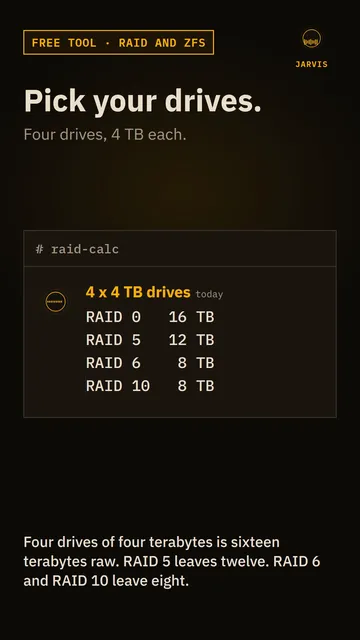 Play the video: How much space will RAID leave you? A free RAID and ZFS calculator
What each layout does
| Layout | Usable space | Drives that can fail | Needs at least |
|---|---|---|---|
| RAID 0 or ZFS stripe | All the drives | None, so one failure loses everything | 2 (1 for ZFS) |
| RAID 1 or ZFS mirror | One drive’s worth | All but one | 2 |
| RAID 5 or ZFS RAIDZ1 | All but one drive | 1 | 3 |
| RAID 6 or ZFS RAIDZ2 | All but two drives | 2 | 4 |
| ZFS RAIDZ3 | All but three drives | 3 | 5 |
| RAID 10 | Half the drives | 1 for certain, and up to one per mirrored pair if they’re in different pairs | 4, and an even number |
The calculator treats every drive in a set as the size of the smallest one, which is how RAID works with mixed sizes.
Usable space in practice
Drive sizes on the box are decimal, so a 4 TB drive is 4,000,000,000,000 bytes. Windows and many tools count in 1024s and show a smaller number, which is why the calculator gives TB and TiB side by side. The memory calculator explains why. A file system also keeps a little space for itself.
Here are three common setups, with the usable space shown in TB and TiB:
| Setup | RAID 5 or RAIDZ1 | RAID 6 or RAIDZ2 | RAID 10 |
|---|---|---|---|
| 4 x 4 TB (16 TB raw) | 12 TB (10.91 TiB) | 8 TB (7.28 TiB) | 8 TB (7.28 TiB) |
| 6 x 8 TB (48 TB raw) | 40 TB (36.38 TiB) | 32 TB (29.10 TiB) | 24 TB (21.83 TiB) |
| 8 x 12 TB (96 TB raw) | 84 TB (76.40 TiB) | 72 TB (65.48 TiB) | 48 TB (43.66 TiB) |
Choosing a layout
Large drives take a long time to rebuild after a failure, and the array is exposed while that happens. With big drives, a second failure during a rebuild is a real risk, which is why RAID 6 and RAIDZ2 are popular for them. RAID 10 gives up more space, but rebuilds are quick because they copy one mirror and don’t recalculate parity.
For ZFS, the common guidance is to keep a pool below about 80% full, because performance drops as it fills. That means the space you can comfortably use is a bit less than the number above.
RAID is not a backup. It protects you from a drive dying, and it does nothing about deleted files, ransomware, a bad update or a fire. Keep a separate copy somewhere else.
Quick answers
How much space do I lose with RAID 5?
One drive’s worth. With four 4 TB drives you get 12 TB usable, and with six 8 TB drives you get 40 TB.
What’s the difference between RAID 5 and RAIDZ1?
They use the same idea, one drive’s worth of parity, and give the same usable space. ZFS adds checksums on every block and a few other features, and it handles the RAID itself without a separate controller.
Is RAID 10 better than RAID 6?
It depends what you need. RAID 10 gives you speed and fast rebuilds but half the raw space. RAID 6 gives you more usable space and survives any two drives failing. Neither replaces a backup.
Does this work for mixed drive sizes?
Every drive counts as the smallest one in the set, so the rest of the space on bigger drives is unused. Use drives of the same size where you can.
Related tools
To see how long it takes to copy data onto a new array, use the transfer time calculator. The memory calculator converts between TB and TiB, and the tools page lists everything else.
More tools and guides
7 pages
Related projects
3 pages