A PoE switch has a total power budget, and it’s usually lower than the sum of what every port could supply. Add up your access points, cameras and phones here to see whether the switch can power them all, and how much is left over.
It runs in your browser, so nothing you type is sent anywhere.
| Device | Each | Qty | Total |
|---|
In this YouTube Short, Jarvis shows the PoE budget calculator in 30 seconds.
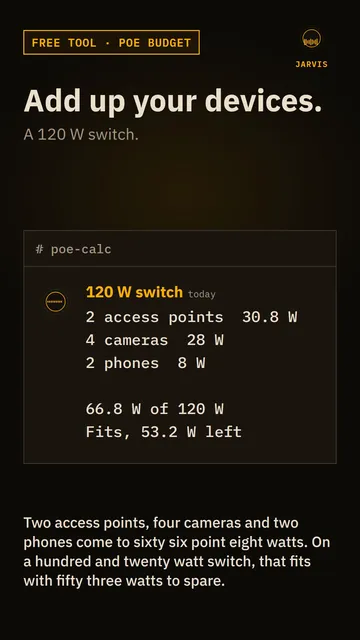 Play the video: Will your PoE switch power everything? A free PoE budget calculator
How to use it
- Find the total PoE budget on the switch’s spec sheet. It’s quoted in watts, for example “8 PoE ports, 120 W”.
- Add each type of device. Pick its PoE class if you know it, or choose custom watts and type the figure from the device’s datasheet.
- Set the quantity, and read the total against the budget.
The calculator counts the power the switch has to supply for each class, because that’s how a switch budget is measured. The device receives a little less, since some power is lost in the cable.
PoE standards and classes
| Standard | Class | The switch supplies | The device gets |
|---|---|---|---|
| 802.3af (PoE) | 1 | 4 W | 3.84 W |
| 802.3af (PoE) | 2 | 7 W | 6.49 W |
| 802.3af (PoE) | 0 or 3 | 15.4 W | 12.95 W |
| 802.3at (PoE+) | 4 | 30 W | 25.5 W |
| 802.3bt (PoE++) | 5 | 45 W | 40 W |
| 802.3bt (PoE++) | 6 | 60 W | 51 W |
| 802.3bt (PoE++) | 7 | 75 W | 62 W |
| 802.3bt (PoE++) | 8 | 90 W | 71.3 W |
A device that doesn’t announce a class is treated as class 0, which gets the same 15.4 W as class 3.
Why leave headroom
A switch that’s right at its limit has no room for another device, and a device that draws more when it’s busy (a camera with its infrared lights on, or an access point under load) can push it over. The calculator offers 10% or 20% headroom. The 20% figure is a common rule of thumb, not a standard, so use what suits your setup.
Some switches reserve the full class power for every port, whether the device uses it or not. Others count what each device actually draws, which usually lets you fit more. The switch’s manual will say which it does.
Quick answers
What is a PoE budget?
It’s the total power a switch can send out over all its PoE ports at once. A switch with eight PoE ports and a 120 W budget can’t give every port 30 W, because that would need 240 W.
How many devices can a 120 W switch run?
With 20% headroom you have 96 W to spend. That’s about 13 devices at 7 W each, or 6 access points at 15.4 W each. The port count is also a limit.
What’s the difference between PoE, PoE+ and PoE++?
They’re the 802.3af, 802.3at and 802.3bt standards. Each one raises the power a port can supply, from 15.4 W to 30 W and then up to 90 W. Newer switches work with older devices, and a device only takes what it needs.
Does a longer cable use more power?
A little. Some power is lost along the cable, which is why the switch supplies more than the device receives. Keep runs within the 100 metre limit for Ethernet.
Related tools
If you’re laying out a network, the subnet calculator works out IP ranges. For storage, see the RAID and ZFS capacity calculator, and the tools page lists the rest.
More tools and guides
7 pages
Related projects
3 pages